What Wine is
Wine provides the parts of Windows that programs call, directly on macOS. No copy of Windows runs, so you need no Windows licence. Its name says what it isn't: Wine Is Not an Emulator.
On a Mac with Apple silicon, two more pieces are involved:
- Rosetta, built into macOS, translates the Intel code of Wine and of Windows programs for Apple silicon.
- A renderer translates a game's DirectX graphics to Apple's Metal. Wine has its own, and DXMT, D3DMetal and DXVK are faster for games. How the renderers compare.
The usual way: Homebrew and Terminal
Most instructions install Wine with Homebrew, a package manager you use from Terminal. That works, and it suits people who like the command line. After installing, though, it's up to you to:
- start each program with a command;
- create Wine prefixes, the separate Windows environments, and keep track of them;
- set up a faster renderer for games;
- update Wine, and go back if an update breaks a game.
Portnaut does all of that from its window, so you never need Terminal or Homebrew.
Install Wine with Portnaut
- Download Portnaut and move it to your Applications folder. It needs a Mac with Apple silicon (M1 or later) and macOS 14.6 or later.
- Open it. Portnaut isn't notarized by Apple yet, so you allow it once in System Settings › Privacy & Security. How to allow it.
- Choose Prepare Portnaut. Portnaut downloads Wine 11 and the renderers once, checks each download against its published SHA-256 checksum, and installs them in its own folder. Nothing is installed system-wide, and no administrator password is needed. If Rosetta isn't installed yet, Portnaut says so first. How to install Rosetta.
- Create a bottle. A bottle is Portnaut's name for a Wine prefix: a separate Windows environment with its own C: drive. Choose Bottles › New Bottle… and pick Steam, the EA app or Ubisoft Connect, or Empty bottle.
- Run Windows programs. Install games through the launcher, or choose Install from File… to run any .exe or .msi installer. How to open .exe files on a Mac.
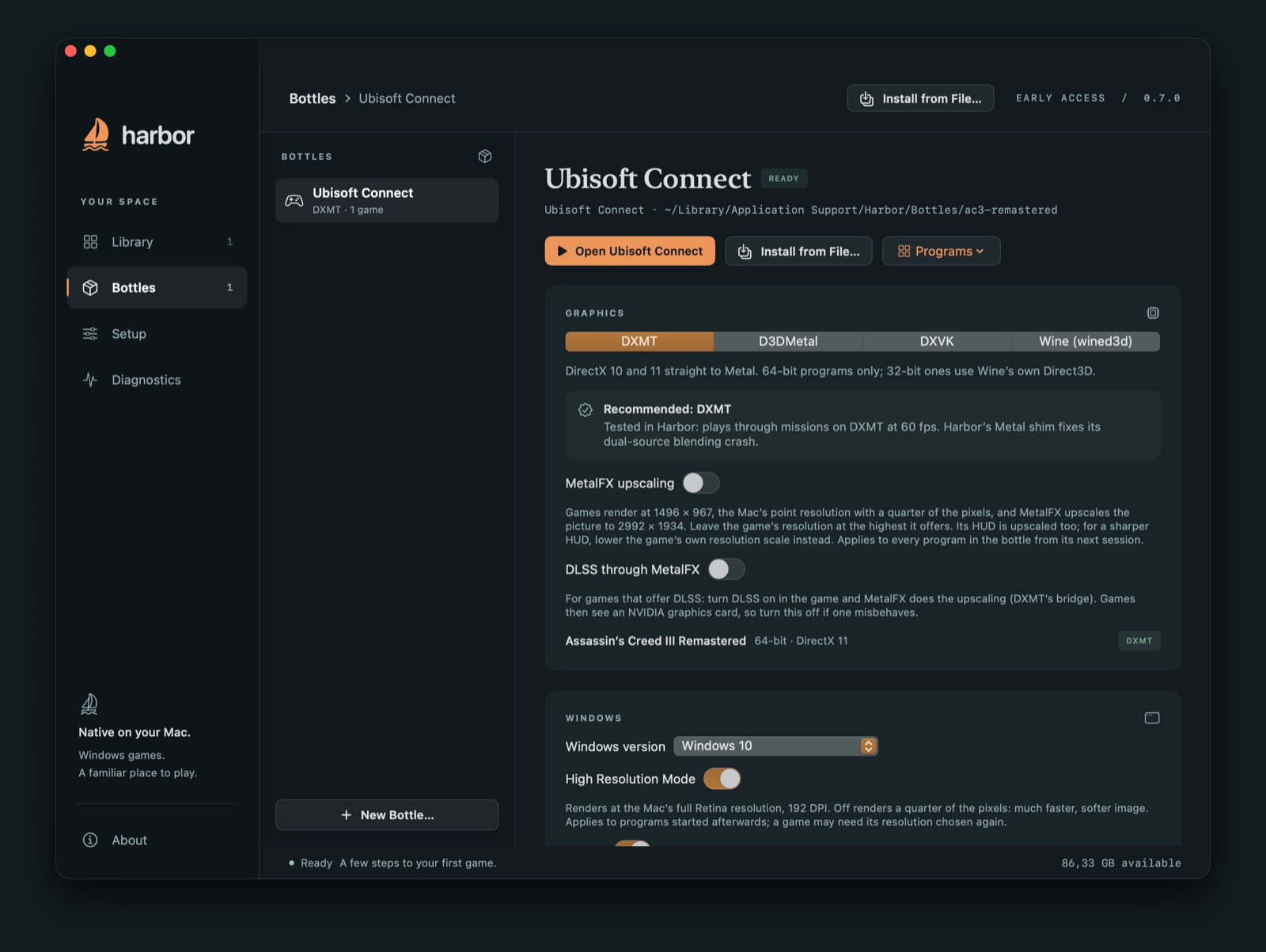
What Portnaut installs
- Wine 11, from Highball's public builds, which are made from the Wine sources CodeWeavers publishes. Wine is open source under the LGPL.
- DXMT, which translates DirectX 10 and 11 to Metal.
- D3DMetal, Apple's translation for DirectX 11 and 12 from the Game Porting Toolkit.
- DXVK with MoltenVK, which translates DirectX 9, 10 and 11 through Vulkan.
- GStreamer for in-game video, and SDL for controllers.
The full list, with sources and licences, is on the download page: what Portnaut downloads, and from whom.
Where Wine lives on your Mac
Everything Portnaut installs is in one folder, ~/Library/Application Support/Portnaut:
Runtimesholds Wine and the renderers;Bottlesholds your bottles, each with its own Windows drive, installed programs and saves.
In Portnaut, Setup › Open Runtime Folder shows the runtime in Finder.
Keeping Wine up to date
Choose Check for Component Updates… in the Portnaut menu. It offers two channels:
- Stable: a tested set of Wine and the renderers.
- Latest: the newest published build of each part.
Before it switches, Portnaut takes a snapshot of your bottles. If a game stops working, choose Roll Back… to return to the previous versions.
Removing Wine
Quit Portnaut and move ~/Library/Application Support/Portnaut to the Trash. That removes Wine, the renderers and your bottles, including installed games and their saves. How to uninstall Portnaut completely.
Questions
Is Wine free?
Yes. Wine is free and open source, under the LGPL. Portnaut is free and open source too, under the MIT licence.
Does Wine work on M1, M2, M3 and M4 Macs?
Yes. Wine runs on every Mac with Apple silicon through Rosetta. Portnaut needs macOS 14.6 or later.
Do I need Homebrew, Xcode or Terminal?
No. Portnaut downloads and sets up Wine itself. The only time you might open Terminal is to install Rosetta, with one command, if your Mac doesn't have it yet.
Which version of Wine does Portnaut use?
Wine 11, from Highball's builds. The Stable channel of Component Updates keeps a tested version; the Latest channel takes the newest build.
Is Wine an emulator?
No. Wine provides Windows' parts directly on macOS instead of imitating a whole PC, which is why games can run at full speed. Is there a Windows emulator for Mac?
Next: Open .exe files on a Mac · Game Porting Toolkit · Troubleshooting
Wine and Homebrew are trademarks of their owners. Portnaut is not affiliated with them.