What happened to Whisky
In April 2025, Whisky's developer announced that it is no longer actively maintained. According to the project's maintenance notice:
- its Wine build gets no further updates and won't move to Wine 8 or later;
- no more fixes are made for specific apps and games, Steam included;
- apps and games may break at any time, for example after a macOS update.
The original repository was archived in May 2025. Whisky may still run your games today, but nothing gets fixed when they stop working.
The free alternatives at a glance
All three run Windows games on a Mac with Apple silicon through Wine 11, are free, and are open source.
| Portnaut | Highball | Whisky community fork | |
|---|---|---|---|
| Launchers set up for you | Steam, the EA app, Ubisoft Connect | Steam; Epic Games accounts through Legendary | Steam, Epic, the EA app, Battle.net |
| Renderers | DXMT, D3DMetal, DXVK and Wine's own, recommended per game | DXMT, D3DMetal, DXVK, chosen per game from a compatibility database | D3DMetal, DXVK |
| macOS | 14.6 or later | 14 or later | 15 or later |
| Licence | MIT | GPL-3.0 | GPL-3.0 |
- Portnaut keeps each launcher in its own bottle, recommends a renderer for each game, and takes snapshots before risky changes. More below.
- Highball sets up Steam and Epic games. Portnaut downloads its Wine from Highball's public builds.
- The Whisky community fork continues Whisky's code with a newer Wine. It looks and works most like the Whisky you know.
Other free tools fill narrower roles:
- Heroic Games Launcher is for Epic, GOG and Amazon games, and runs them with Wine or Apple's Game Porting Toolkit.
- Sikarugir, the successor to Wineskin, turns a single Windows game into its own Mac app. Portnaut uses renderer packages from its public template.
- Porting Kit installs ready-made ports of Windows games.
Portnaut as a Whisky alternative
If you used Whisky for Steam, the EA app or Ubisoft Connect, Portnaut covers the same ground:
- Bottles, like Whisky's: Bottles › New Bottle… creates one ready for Steam, the EA app or Ubisoft Connect, or an empty one for anything else.
- A renderer recommendation for every game. Portnaut reads each game's .exe and suggests DXMT, D3DMetal, DXVK or Wine's own. How the renderers compare.
- Wine 11 that keeps updating, through Component Updates, with a snapshot of your bottles first and roll back if a game stops working.
- Snapshots and save backups per bottle.
- Any Windows installer through Install from File…, and Windows components such as Visual C++ and .NET from Microsoft.
- Controllers through SDL, with a test panel.
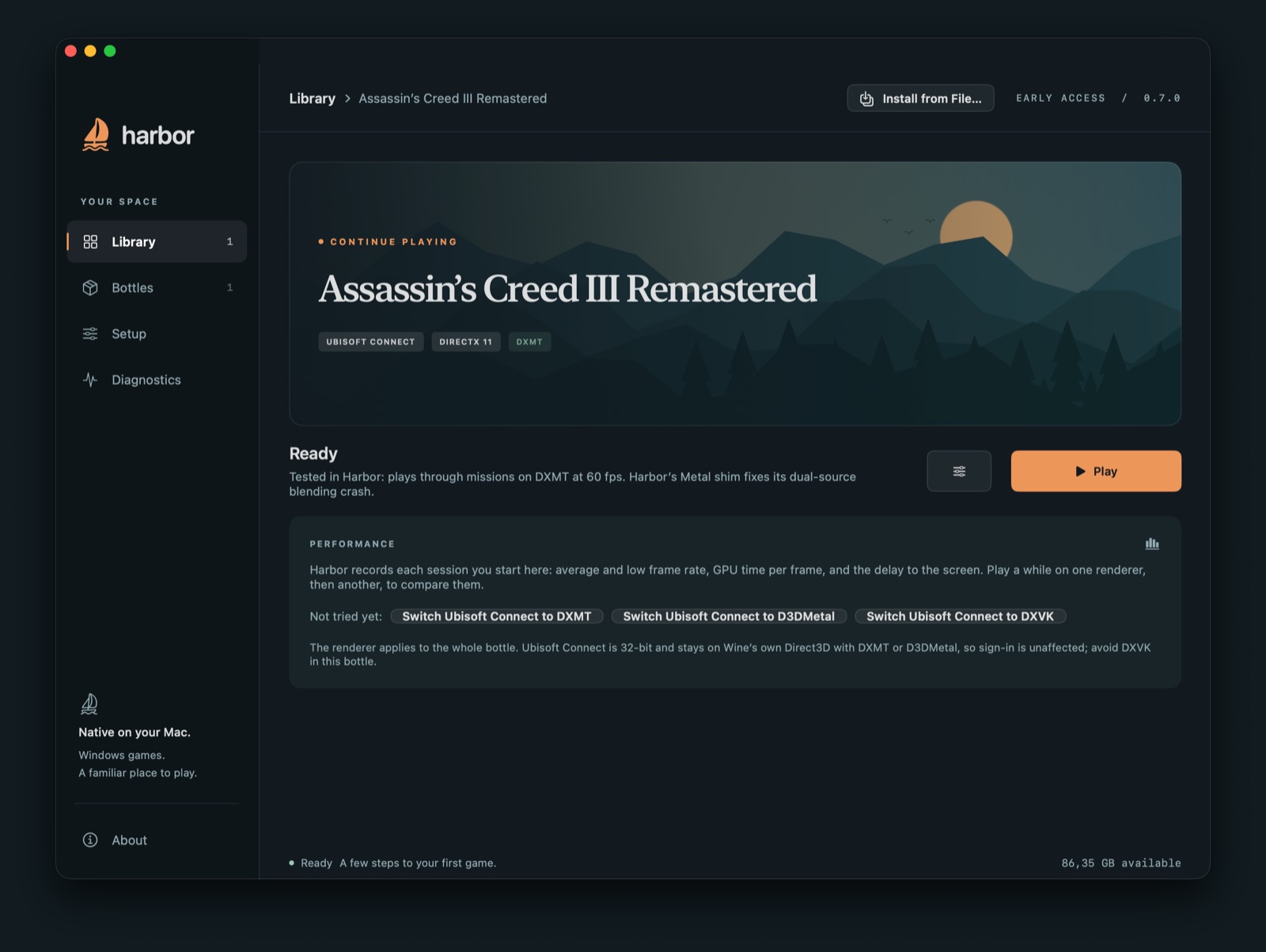
Where it's weaker, honestly: Portnaut is in early access and not yet notarized by Apple. It has no ready-made bottle for the Epic Games Launcher or Battle.net. The EA app is the launcher it has tested least, and it hasn't tested a DirectX 12 game in depth yet. It's tested most with Ubisoft Connect and Assassin's Creed III Remastered, which plays at about 60 fps on an M4 Pro.
Moving your games from Whisky to Portnaut
Portnaut doesn't import Whisky bottles, but you don't have to give Whisky up first: the two keep separate folders and can be installed side by side.
- Download Portnaut, open it and choose Prepare Portnaut.
- Create a bottle for your launcher with Bottles › New Bottle…, install the launcher and sign in.
- Get your games back. The simplest way is to install them again through the launcher. Saves that the launcher syncs to its cloud come back by themselves.
- Large games: to save a long download, copy the game's folder from your Whisky bottle's C: drive into the Portnaut bottle's (Programs › Open C: Drive in Finder), then point the launcher at it. Ubisoft Connect has Locate installed game for this. Steam checks files already in its
steamapps/commonfolder when you choose Install, and downloads only what's missing. - Saves that aren't in the cloud: copy the game's save folder from the Whisky bottle's C: drive to the matching folder in the Portnaut bottle's. The Windows user folder may have a different name in each.
Before you remove Whisky, play each game once in Portnaut to check it runs and your saves are there.
Questions
Can I still use Whisky?
It may still run your games, but it gets no Wine updates or game fixes, and its notice warns that apps and games may break at any time. A maintained alternative is the safer choice for the long run.
Is Portnaut a fork of Whisky?
No. Portnaut is its own app, written in Swift and open source under the MIT licence. It uses Wine from Highball's public builds and renderer packages from the Sikarugir project's template.
Is there a free alternative to Whisky?
Yes. Portnaut, Highball and the Whisky community fork are all free and open source, and all run Windows games on Apple silicon through Wine 11.
Can I keep Whisky and Portnaut on the same Mac?
Yes. Portnaut keeps its Wine and bottles in its own folder, ~/Library/Application Support/Portnaut, and doesn't touch Whisky's.
Does Portnaut run on Intel Macs?
No. Portnaut needs a Mac with Apple silicon (M1 or later) and macOS 14.6 or later.
Next: Steam on Mac · Install Wine on a Mac · Windows emulator for Mac?
Whisky, Highball, Heroic Games Launcher, Sikarugir, Porting Kit, Steam, Epic Games and Battle.net are the names or trademarks of their owners. Portnaut is not affiliated with them. Facts about other apps come from their own websites and repositories, checked on 30 October 2026.