What has been tested
- It plays. The Steam copy was played on an M1 Pro, as recorded in Highball's open compatibility database: from Play Game into the opening scene under keyboard control, at 1280 × 720.
- The same Wine as Portnaut. A player with a base M5 played it with Highball's Wine 11 build r27, the one Portnaut installs, and rated it 5 out of 5 after a 9-minute session: about 50 fps with the Low preset and High textures. We haven't played it through Portnaut ourselves yet.
- It needs D3DMetal. The game is DirectX 12 only, so it runs on Apple's D3DMetal renderer. On DXMT it stops before the splash screen with "No suitable D3D12 adapter found".
- Steam is the tested store. The player who first reported the game working used the Epic Games Store copy; that hasn't been verified.
What you need
- A Mac or MacBook with Apple silicon (M1 or later), macOS 14.6 or later, and Rosetta.
- The game on Steam and a Steam account.
- About 80 GB of free space, as Steam lists for the game.
Play Guardians of the Galaxy on your Mac, step by step
- Download Portnaut, open it, and choose Prepare Portnaut.
- Create a Steam bottle with Bottles › New Bottle…, keep easy mode on, install Steam and sign in. The Steam guide has the details.
- Install Marvel's Guardians of the Galaxy from your Steam library. It appears in Portnaut's library by itself.
- Press Play in Portnaut. Easy mode keeps the bottle on D3DMetal, the renderer this game needs.
- If a message says your graphics driver is older than supported, choose Yes. The game looks for an AMD graphics driver, because D3DMetal presents your Mac's graphics as an AMD card.
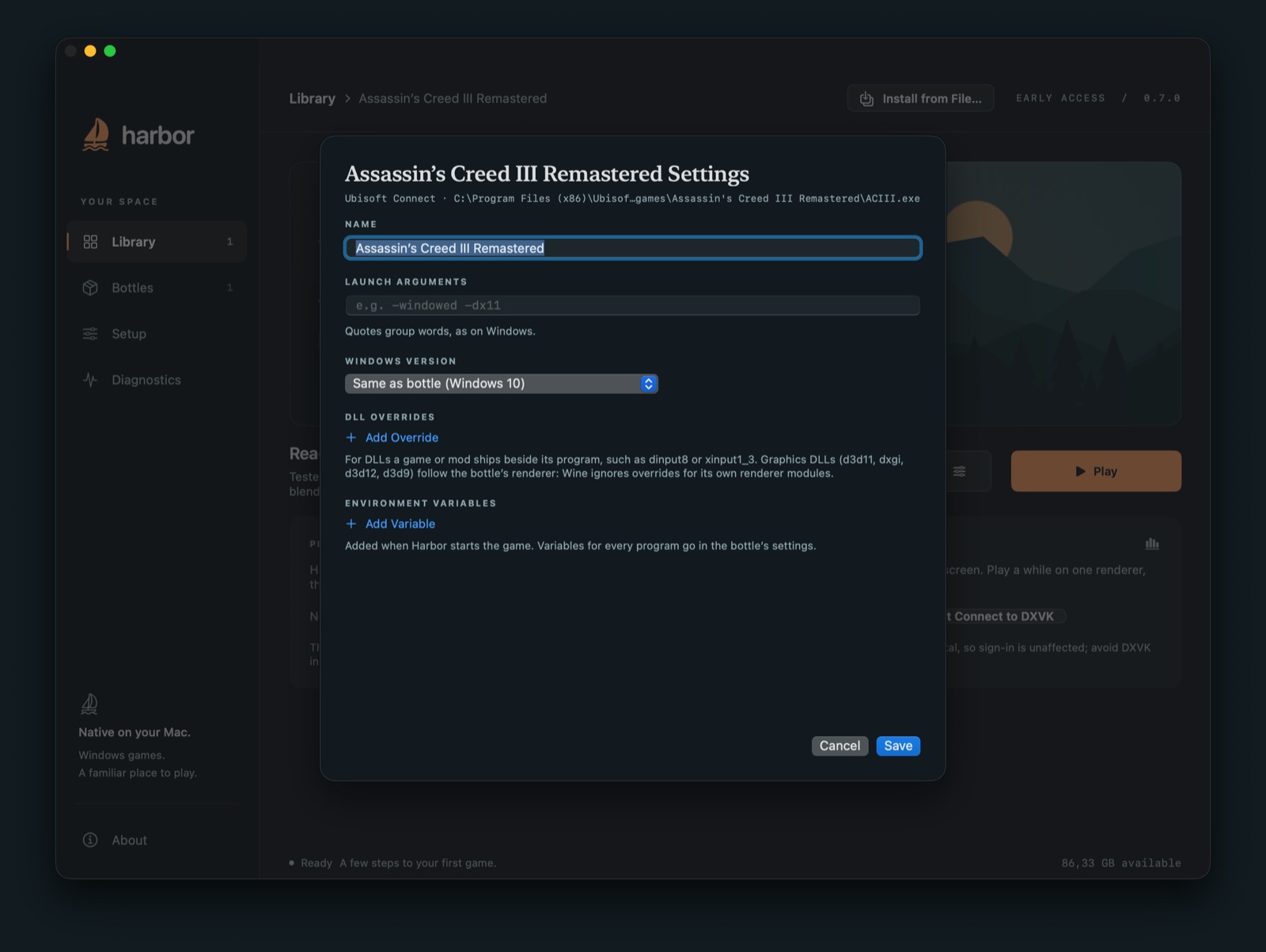
To stop that message appearing, do what Highball's setup does: in the game's Game Settings…, under DLL overrides, choose Add Override, type amd_ags_x64 and pick Disabled. That turns off AMD's helper library, which can't work on a Mac anyway.
Tips
- The first minute is slow. Expect about 10 fps while the game prepares its shaders; it then speeds up.
- Lower shadows and detail, not resolution. On a Mac the game is held back by the processor rather than the graphics, so settings that reduce what's drawn (shadows, level of detail, object density) gain the most. Lowering the resolution gains little.
- Controllers work: the game sees them as Xbox controllers.
- Saves: with easy mode, Portnaut backs up your saves before every session.
Questions
Can you play Guardians of the Galaxy on a Mac?
Yes. There's no Mac version, but the Windows version has been played on Macs with Apple silicon through Wine with Apple's D3DMetal, which Portnaut sets up for free.
Why doesn't it work on DXMT or DXVK?
The game only supports DirectX 12, and of the renderers Portnaut offers, only D3DMetal translates DirectX 12. In easy mode Portnaut chooses it for you.
How fast does it run?
About 50 fps on a base M5 with the Low preset, and 17 to 42 fps at 1280 × 720 on an M1 Pro, depending on the scene and the Wine version. Newer and Pro or Max chips do better.
Do I need Windows?
No. Portnaut runs the game through Wine, which needs no copy of Windows and no Windows licence.
Next: Metaphor: ReFantazio on Mac · Steam on Mac · How to play PC games on a Mac
Marvel, Guardians of the Galaxy, DirectX and Steam are trademarks of their owners. Portnaut is not affiliated with them. Compatibility facts come from Highball's database, checked on 2 November 2026.