What has been tested
- The story plays. The Steam copy has been played on a Mac with Apple silicon, as recorded in Highball's open compatibility database: it loads in about a minute, reaches the main menu and plays. Portnaut uses the same Wine. We haven't played it through Portnaut ourselves yet.
- It needs the Stable component update. Red Dead Redemption 2 used to quit at 98% of its first load on every Mac. A fix in Highball's MoltenVK, the Vulkan layer, solved that, and Portnaut installs it with the Stable set of component updates.
- Windowed was tested. It was played windowed at 1280 × 720; full screen at your display's resolution hasn't been tested yet.
- Memory matters. On an M1 Pro with 16 GB the game used about 14 GB, macOS started swapping, and riding slowed from about 30 fps to under 20 within a minute. Highball's tester said it runs there, but isn't comfortable to play. A Mac with 24 GB or more should avoid that, but it hasn't been measured.
- Newer Macs do better. A player with an M3 played for about four hours, with the same Wine and MoltenVK fix that Portnaut installs, and rated it 5 out of 5.
- Red Dead Online hasn't been tested yet. The game has no kernel anti-cheat listed, but we won't claim it works until someone has played it.
- Known issue: a player on a MacBook Air with M5 reports grass, bushes and trees flickering while moving.
- Steam is the tested store. Copies from the Rockstar Games Launcher or the Epic Games Store haven't been tried yet.
What you need
- A Mac or MacBook with Apple silicon (M1 or later), macOS 14.6 or later, and Rosetta. More than 16 GB of memory is better: see above.
- Red Dead Redemption 2 on Steam, a Steam account and a Rockstar Games account.
- Around 150 GB of free space, as Steam lists for the game.
Play Red Dead Redemption 2 on your Mac, step by step
- Download Portnaut, open it, and choose Prepare Portnaut.
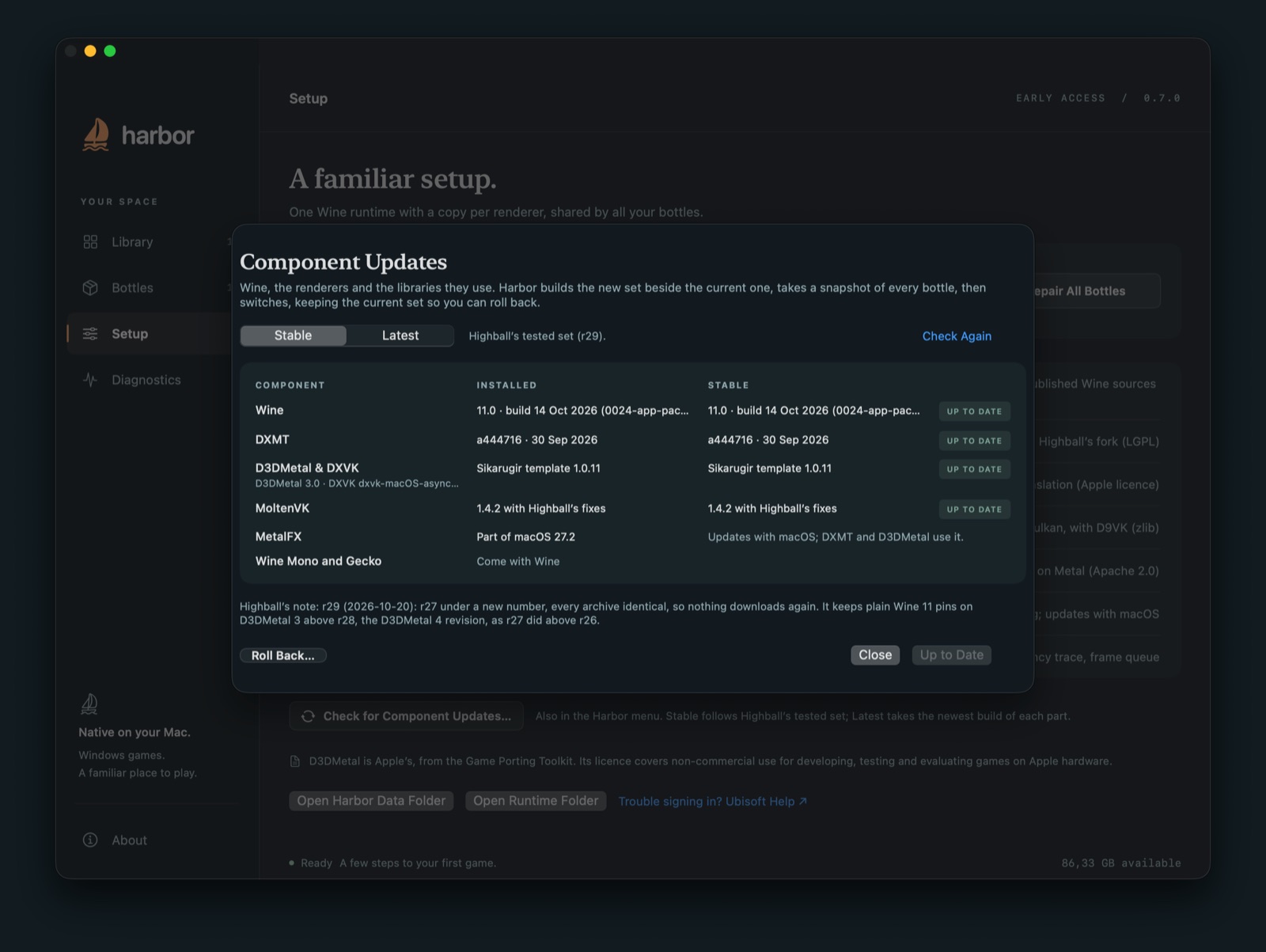
- Install the Stable components. Choose Portnaut › Check for Component Updates…, pick Stable and install it (Highball r29 or later). It's a small download and brings the MoltenVK fix this game needs. How component updates work.
- Create a Steam bottle with Bottles › New Bottle…, keep easy mode on, install Steam and sign in. The Steam guide has the details.
- Install Red Dead Redemption 2 from your Steam library. It appears in Portnaut's library by itself.
- Press Play in Portnaut. Easy mode keeps the bottle on DXMT, which the Rockstar Games Launcher needs. Steam opens that launcher first: sign in with your Rockstar account, and it hands over to the game.
- Set the game to windowed in its graphics settings, the way it was tested, and keep the Graphics API on Vulkan.
The game draws with its own Vulkan renderer through MoltenVK, so the bottle's renderer doesn't change how the game itself looks or runs; DXMT is there for the Rockstar Games Launcher. Portnaut also sets that launcher's sign-in window to draw, which on a Mac it otherwise doesn't.
Tips
- It's a demanding game. Start with lower settings and raise them while it stays smooth.
- Controllers work: the game sees them as Xbox controllers.
- Saves: with easy mode, Portnaut backs up your saves before every session.
Questions
Can you play Red Dead Redemption 2 on a Mac?
Yes, the story. The game has no Mac version, but the Steam copy has been played on Macs with Apple silicon through Wine, with Highball's MoltenVK fix that Portnaut installs with its Stable component update.
Does Red Dead Online work on a Mac?
It hasn't been tested yet. We'll update this page when it has.
Why does it need a component update?
The game asks for some kinds of images that Metal can't store the way the game requests, so without the fix it quits at 98% of its first load. Highball's MoltenVK creates those images another way. Portnaut installs it with the Stable set, and keeps the previous versions so you can roll back.
Do I need Windows or Boot Camp?
No. Portnaut runs the game through Wine, which needs no copy of Windows. Boot Camp doesn't exist on Macs with Apple silicon.
Next: GTA 5 on Mac · Steam on Mac · Troubleshooting
Red Dead Redemption, Rockstar Games and Vulkan are trademarks of their owners. Portnaut is not affiliated with them. Compatibility facts come from Highball's database, checked on 2 November 2026.